12306 Train Booking for Foreigners
China's high-speed rail network is the world's largest and most punctual — and the 12306 app is the official way to book tickets. Since 2023 the app has English support, and foreigners can register with a passport and pay with Visa, Mastercard, or PayPal. This guide gets you booking in under 30 minutes.
✦ Member access — full guide unlocked
What you'll need
- Your passport (only accepted ID for foreign registration)
- A Visa, Mastercard, or PayPal account — or WeChat Pay / Alipay already set up
- Your trip dates and station names (English station names work in the app)
- Tickets open for booking 15 days before departure at 8:00 AM Beijing time
Free preview — Stage 1
1
Download, Register & Switch to English
Install 12306, register as a foreign passport holder, and set the app to English.
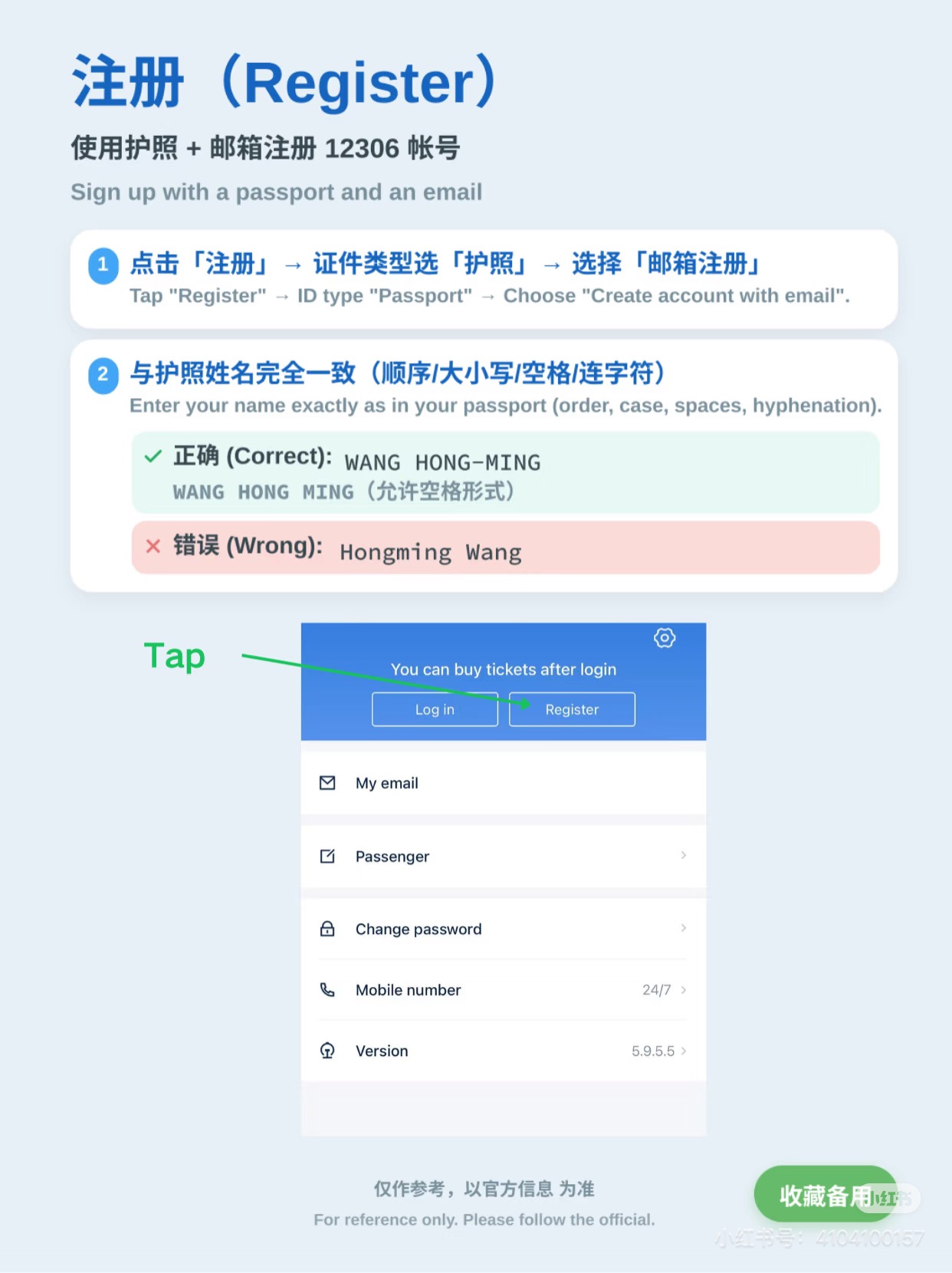 Name must match passport exactly (WANG HONG-MING ✓)
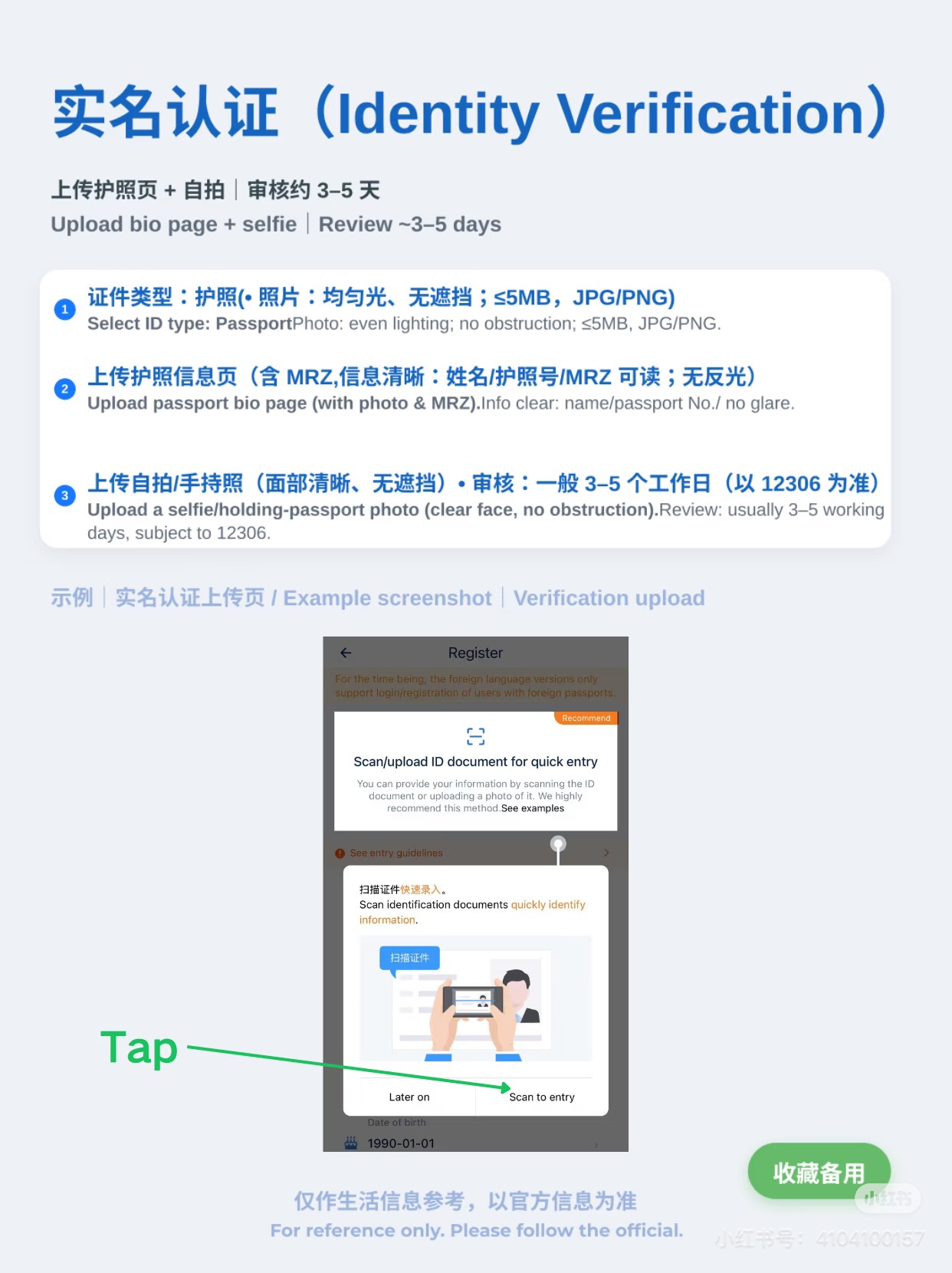 Upload passport photo page + selfie for ID verification
- Search 12306 or China Railway in App Store or Google Play — publisher: China Railway Customer Service Center
- Tap Register → select Overseas Passenger → enter passport number, nationality, full name
- Your name must match your passport exactly — including middle names
- Upload passport photo page + take a selfie for ID verification (usually instant)
- Switch to English: Me → Settings → Language Settings → English
💡 On iOS, search "中国铁路12306" if the English name doesn't appear. Publisher: China Railway Customer Service Center Co., Ltd.
Member stages — 2 & 3
2
Add Payment & Book Your Ticket
Link your international card and search for the train that fits your route and schedule.
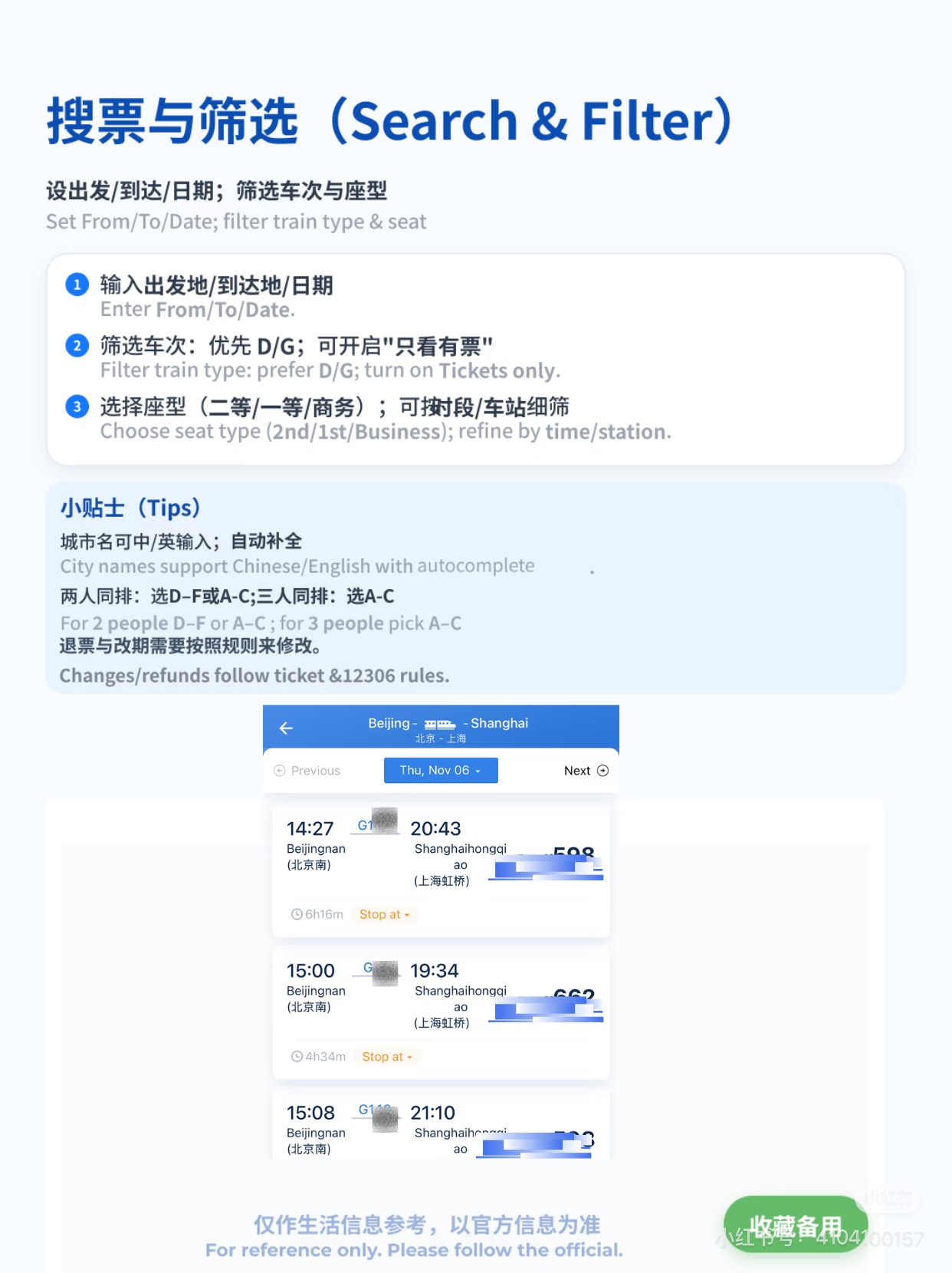 Search results — filter by G/D trains, choose your seat class
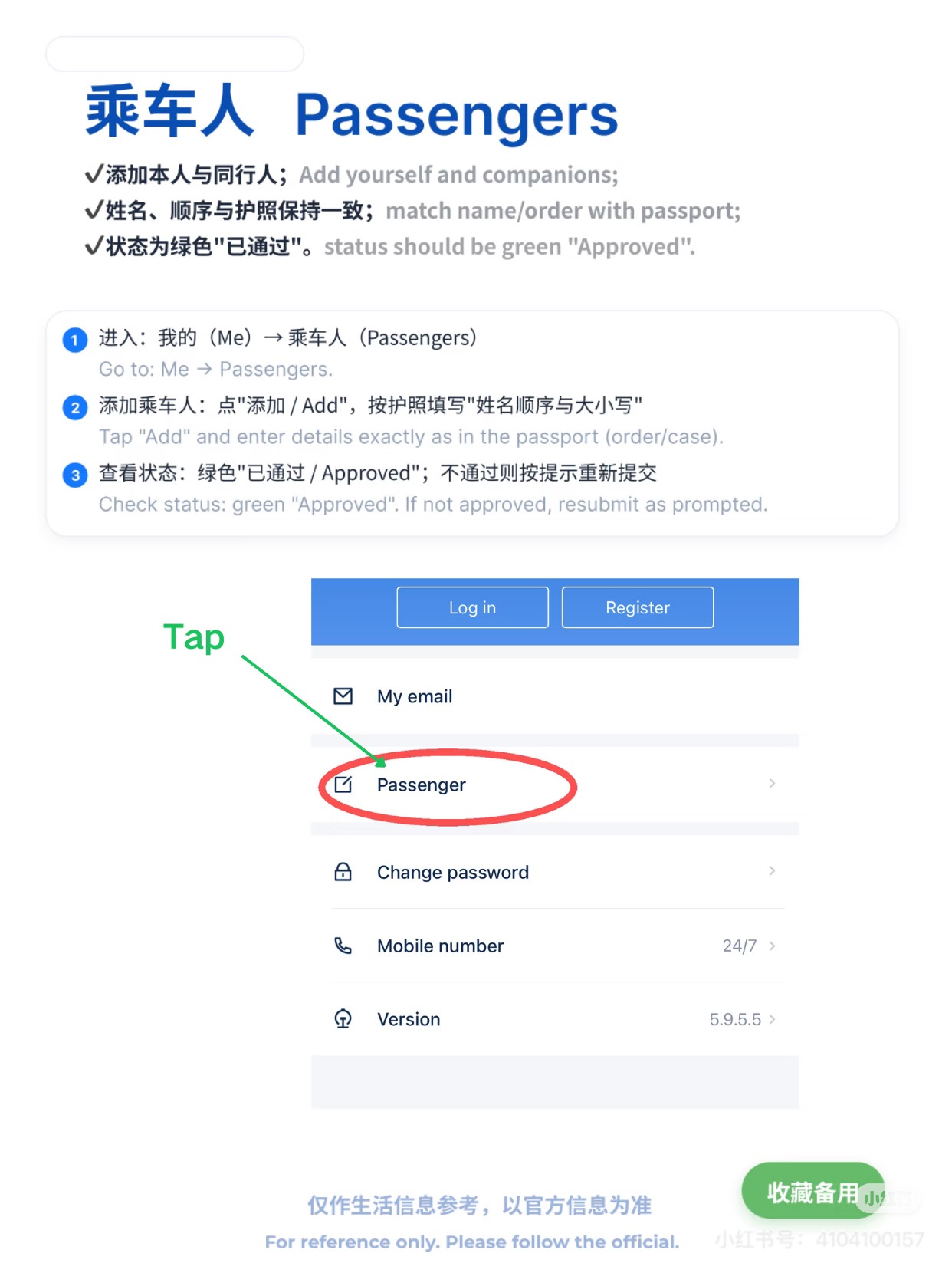 Me → Passenger — wait for green "Approved" status before booking
- Add payment: Me → Payment Methods → Add Card → International Card (Visa/Mastercard/PayPal)
- WeChat Pay or Alipay is the most reliable option — avoids potential international card blocks
- Check Me → Passenger — wait for green "Approved" status before attempting to book
- Tap Book Tickets → enter departure station, destination, date
- Seat classes: 2nd Class (most affordable), 1st Class (wider), Business (lie-flat on overnight routes)
- Confirm passenger and pay — your e-ticket appears in Me → My Orders
💡 Book as early as possible — tickets open 15 days before departure at 8:00 AM Beijing time. Popular routes sell out fast on weekends.
3
Get Your Ticket & Board
Use your digital QR ticket or collect paper — then board with confidence.
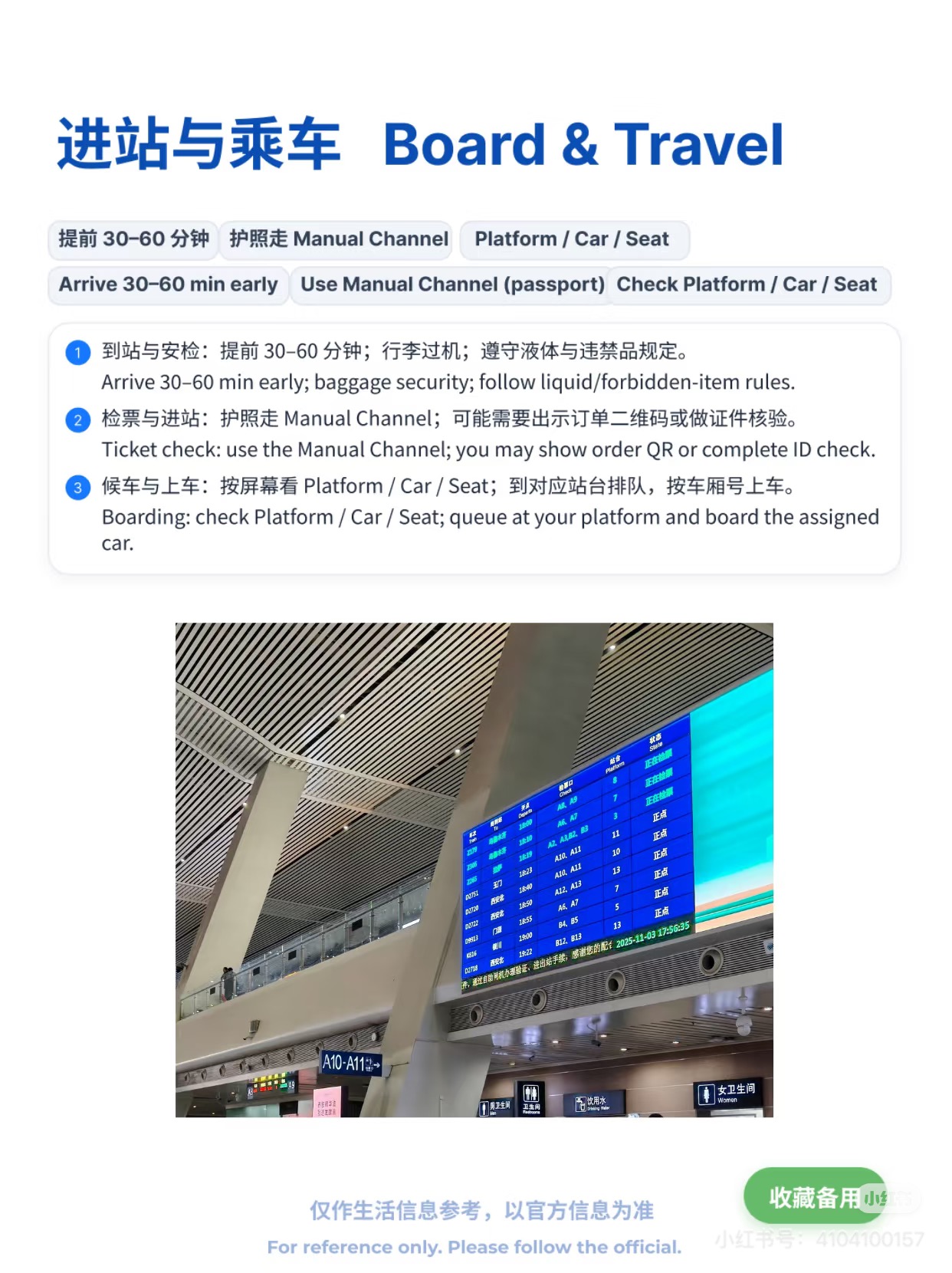 Find your Platform (站台) on the departure board
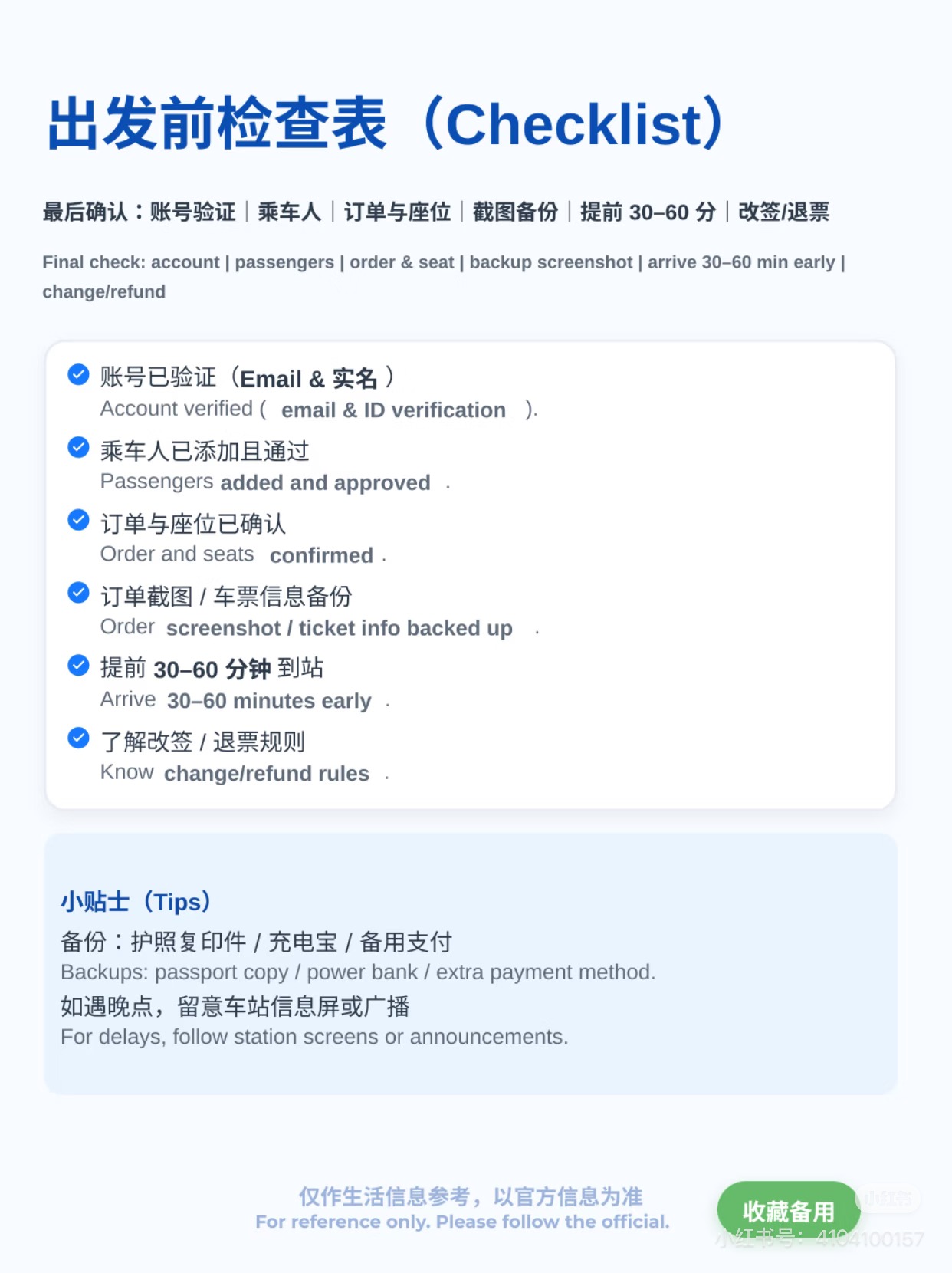 Pre-departure checklist — arrive 30–60 min early
- Digital QR: use directly at station gate — no printing needed at most major stations
- Paper ticket: collect at any station window or self-service kiosk with your passport
- Arrive at least 30–45 minutes before departure
- Process: security check → find platform on departure board → scan QR or insert ticket at gate
- Seat number format: 05车08号 = Car 5, Seat 8
- Gates close 5 minutes before departure — don't cut it close
💡 If you miss your train, go to the ticket window with your passport — a same-day ticket change is usually possible for a small fee.
Pro tips
- Window seats on the left side (A/F seats) offer the best views on most scenic routes. Check the train direction before choosing.
- High-speed trains have a dining car and trolley service with hot meals, snacks, and drinks — no need to pack food for long journeys.
- Most high-speed trains have power outlets at every seat — bring your charging cable for long journeys.
- Trip.com is a great English alternative to 12306 if you find the app difficult — it sells the same tickets with a small service fee and full English support.
Sources & further reading:
China Survival Kit — 12306 English Guide 2026 · China Navigators — 12306 Guide · Official 12306 FAQ (English)
China Survival Kit — 12306 English Guide 2026 · China Navigators — 12306 Guide · Official 12306 FAQ (English)