DiDi Ride-Hailing for Foreigners
DiDi Chuxing is China's dominant ride-hailing platform, operating in 400+ cities with over 600 million registered users. The app has a full English interface and real-time chat translation so you never need to speak Chinese to your driver. This guide gets you set up and booking rides in minutes.
✦ Member access — full guide unlocked
What you'll need
- A smartphone (iOS or Android)
- A foreign phone number for SMS verification
- Alipay or WeChat Pay already set up (DiDi links through these)
- Location permissions enabled on your phone
Free preview — Stage 1
1
Install & Register
Download the correct DiDi app (domestic version) and create your account in minutes.
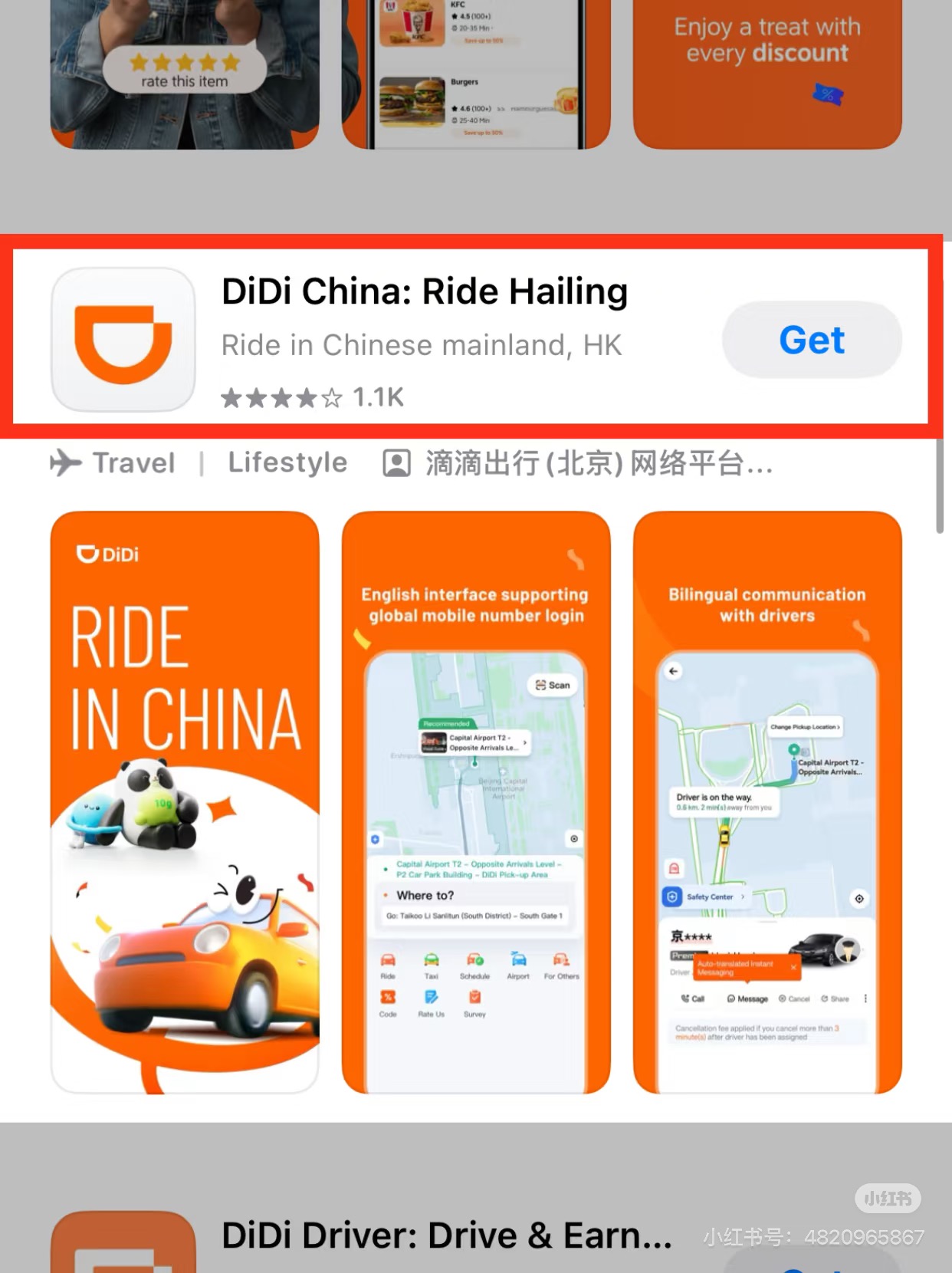 Download "DiDi China: Ride Hailing" — the domestic version
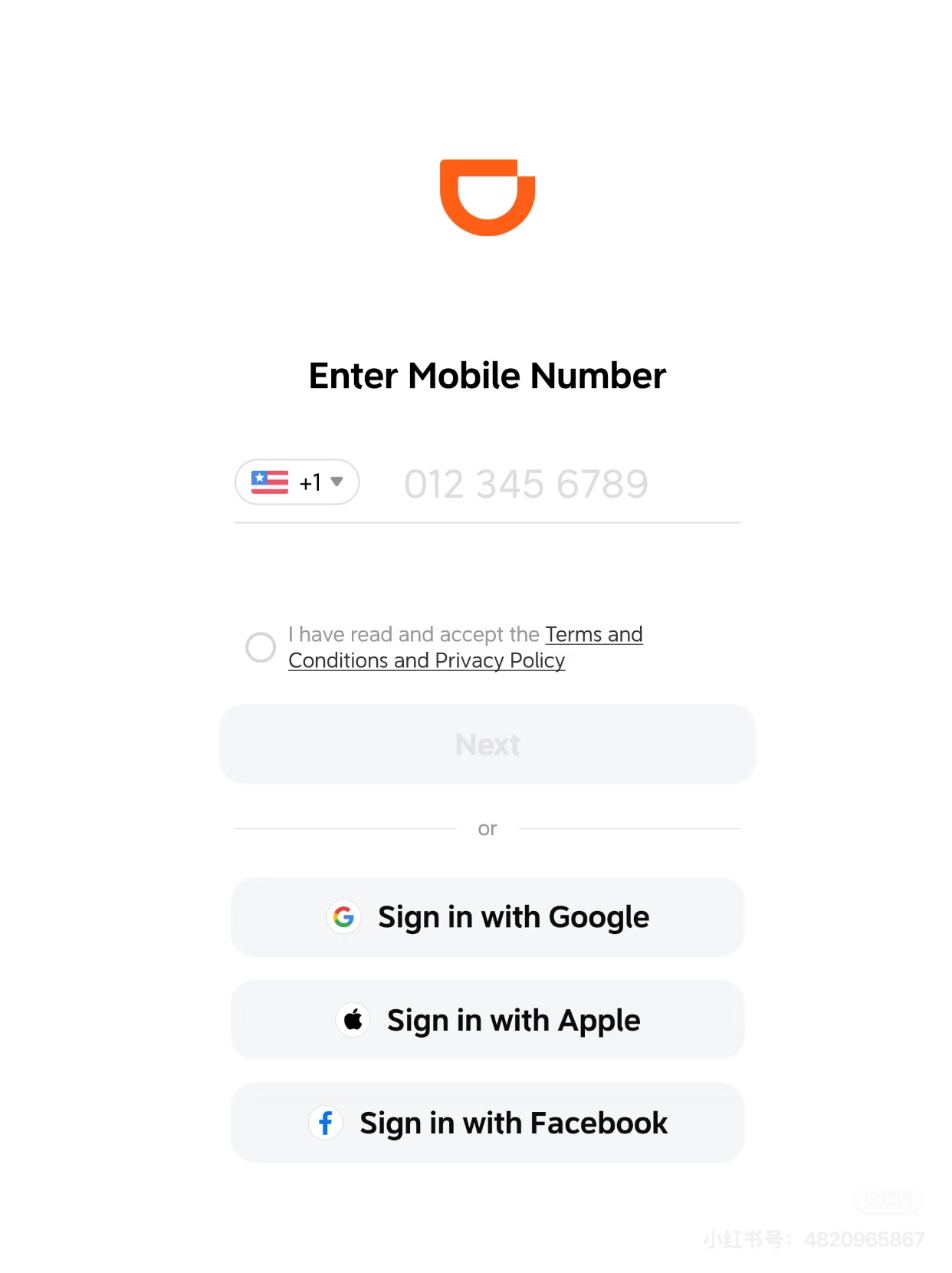 Enter your country code and phone number to register
- Search DiDi Chuxing 滴滴出行 — download the domestic version, not "DiDi" international
- Tap Log in / Register → select country code → enter phone → enter SMS code
- Can also sign in with Google, Apple, or Facebook account
- If DiDi isn't found in your App Store, search "滴滴出行" directly
💡 Download before arriving in China if possible — the domestic version may not appear in all regional App Stores.
Member stages — 2 & 3
2
Switch Language & Link Payment
Set the app to English and connect your payment method through Alipay or WeChat Pay.
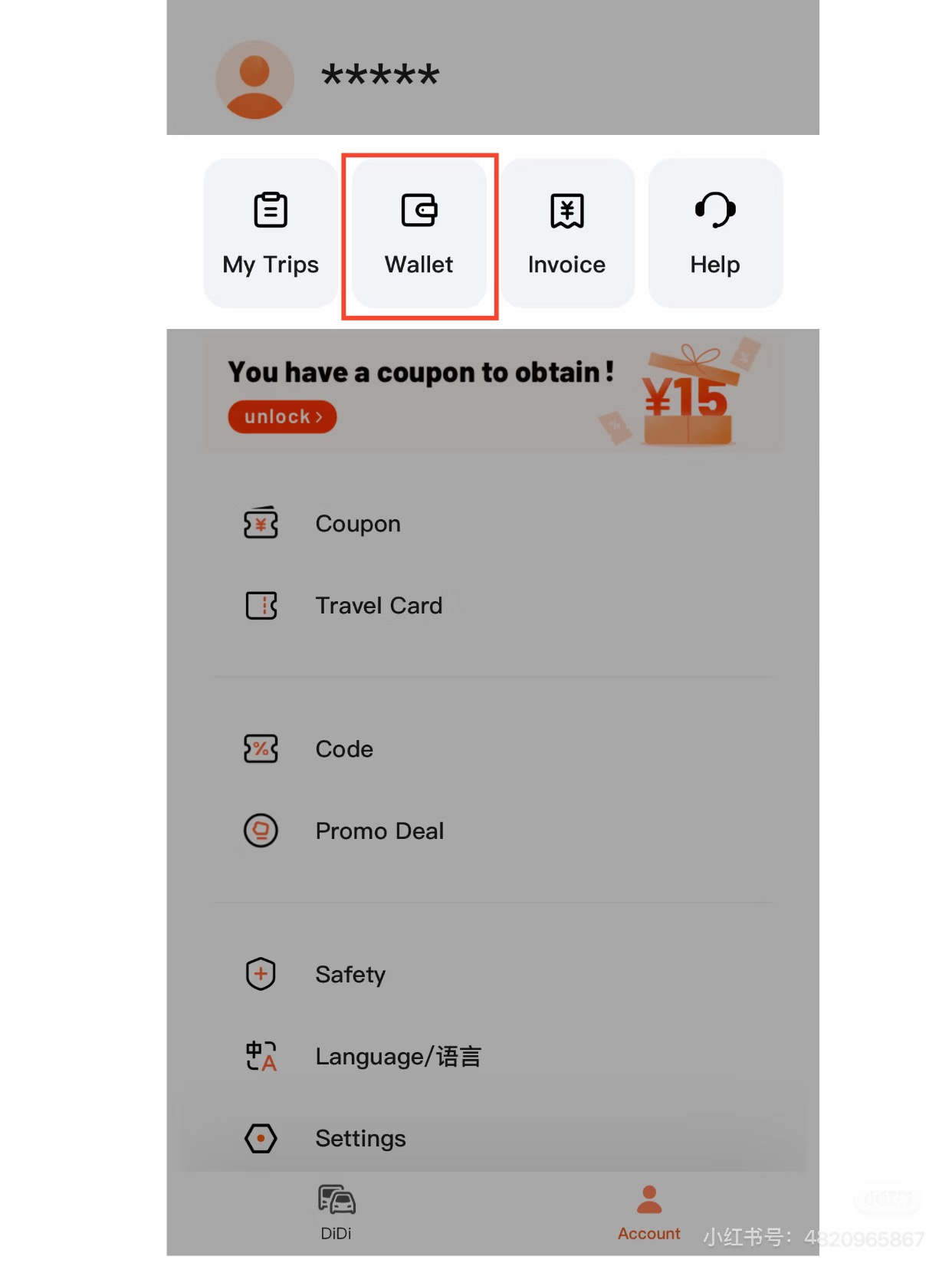 Account tab → Language/语言 → select English
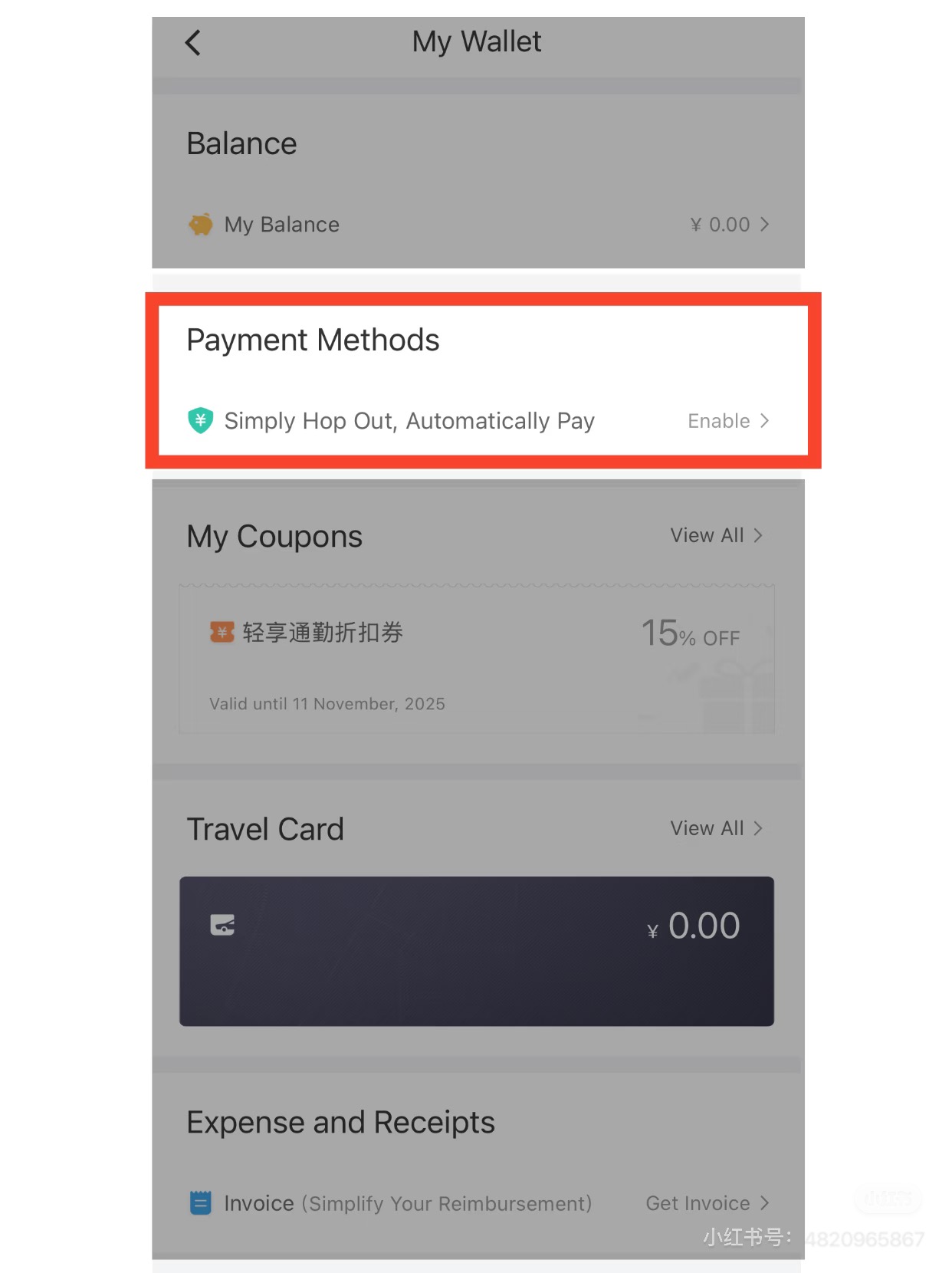 Account → Wallet → Payment Methods → Add
- Switch to English: Me → gear icon → Language → English
- DiDi doesn't accept international cards directly — payment goes through Alipay or WeChat Pay
- Go to Me → Wallet → Payment Methods → Add Payment Method
- Choose Alipay or WeChat Pay → authorize the connection in that app
- Set your preferred payment as default to avoid choosing every ride
💡 Set up Alipay or WeChat Pay first — DiDi uses these as the payment gateway for international card holders.
3
Book & Ride
Search your destination, choose a ride type, and communicate with your driver in English.
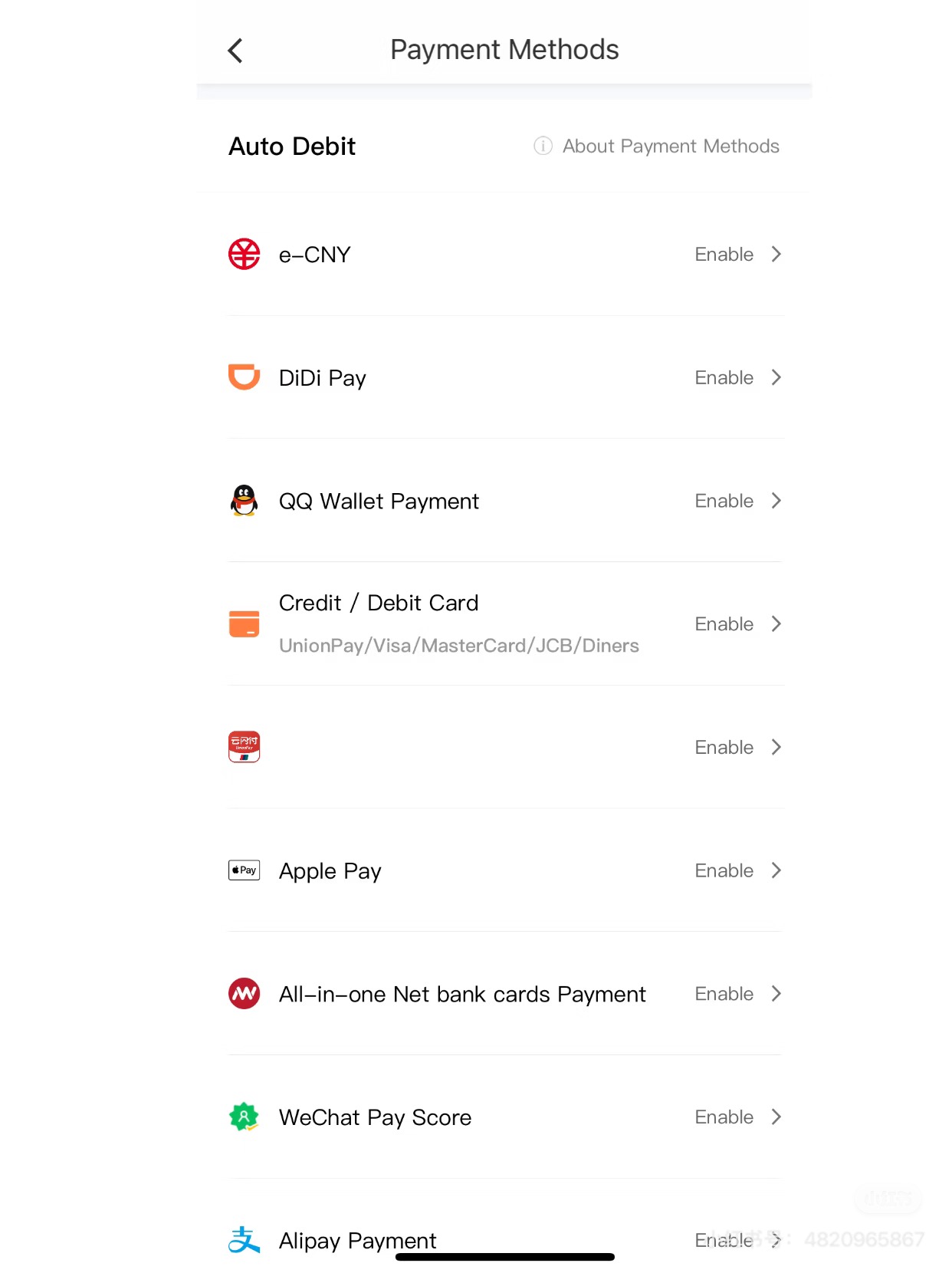 Confirm payment method before each ride
Review estimated price before confirming
Confirm payment method before each ride
Review estimated price before confirming
- Tap Where to? → type destination in English or Chinese — both work
- Ride types: Express (cheapest), Premier (higher-end), Taxi (official cabs)
- Review the fixed estimated price before confirming — no haggling needed
- In-app chat automatically translates your English messages to Chinese for your driver
- Use Quick Message templates: "I'm at the entrance", "Please wait for me"
- Save your hotel address in Chinese characters to share in chat if needed
💡 During peak hours (7–9am, 5–7pm) or rain, adding a small tip in advance gets you matched faster with a driver.
Pro tips
- Pin your destination on the map if the address search isn't finding it — drag the map pin to the exact spot.
- During peak hours (7–9am, 5–7pm) or rain, add a tip in advance to get matched faster with a driver.
- DiDi has a one-tap emergency button on every ride screen — it connects to 110 (police) and shares your live location.
- After each ride, rate your driver and the receipt is automatically saved in Me → Orders.
Sources & further reading:
China Survival Kit — DiDi Guide 2026 · Wise — How to Use DiDi in China · WildChina — DiDi 2025 Guide
China Survival Kit — DiDi Guide 2026 · Wise — How to Use DiDi in China · WildChina — DiDi 2025 Guide