Alipay Setup for Foreigners
Alipay is China's most widely used payment app with over 80 million merchant locations. Foreigners can now link international Visa, Mastercard, or Amex cards directly — no Chinese bank account needed. It also has the best English interface of any Chinese payment app.
✦ Member access — full guide unlocked
What you'll need
- A smartphone (iOS or Android)
- A foreign phone number for SMS verification
- A Visa, Mastercard, or Amex card (credit or debit)
- Your passport — photo page required for identity verification
Free preview — Stage 1
1
Download & Sign Up
Install Alipay, register with your phone number, and switch the app to English.
- Search Alipay in the App Store or Google Play — publisher: Alipay (Hangzhou) Technology
- Do not download "Alipay HK" (Hong Kong version) or "Alipay+" (merchant tool)
- Tap Sign Up → select your country code → enter mobile number → enter SMS code
- Switch to English: Me → Settings → General → Language → English
💡 Download before arriving in China to avoid needing a VPN to access Google Play.
Member stages — 2 & 3
2
Verify Identity & Add Your Card
Complete passport verification, then link your international card to start paying.
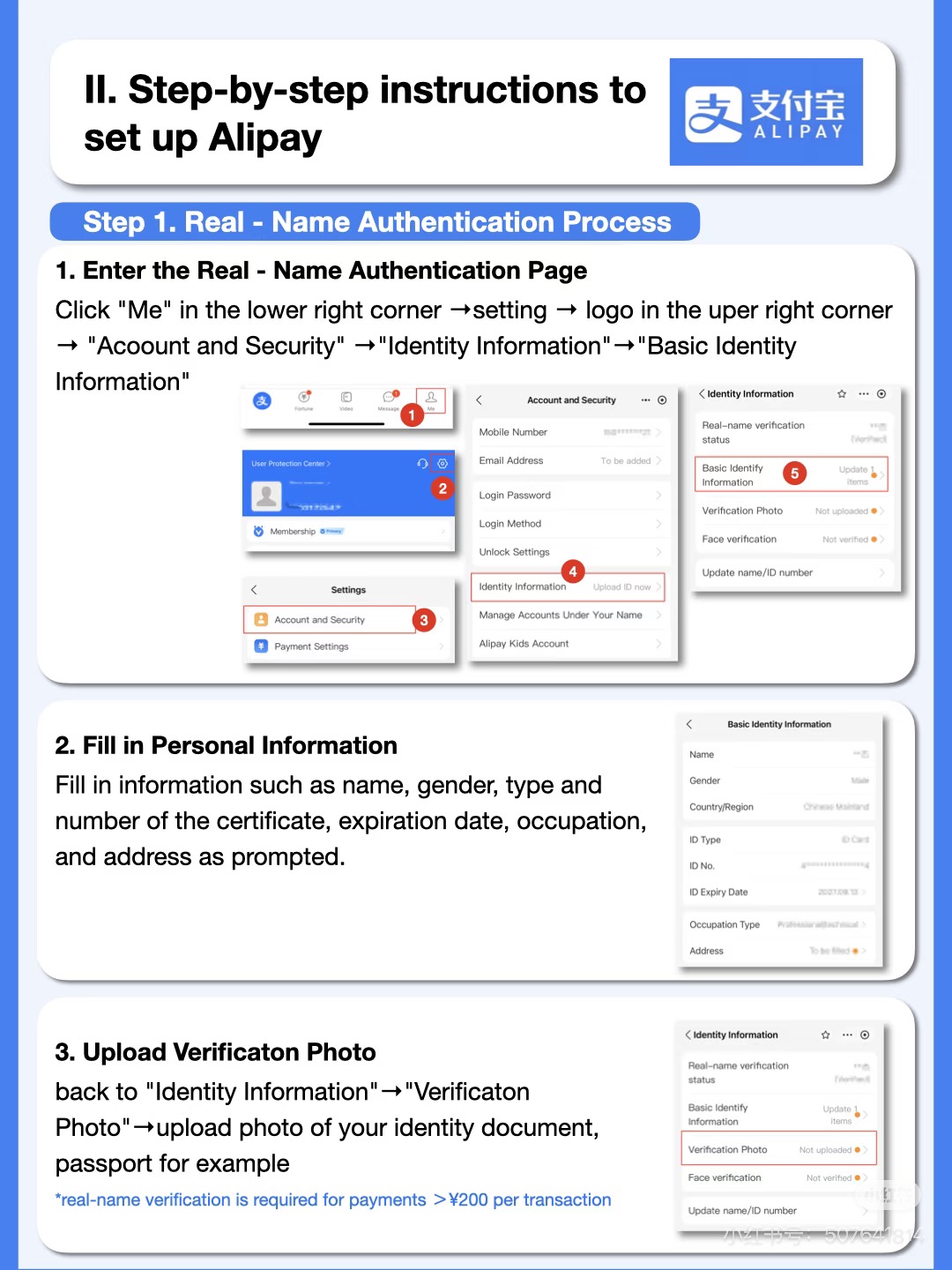 Me → Settings → Account and Security → Identity Information
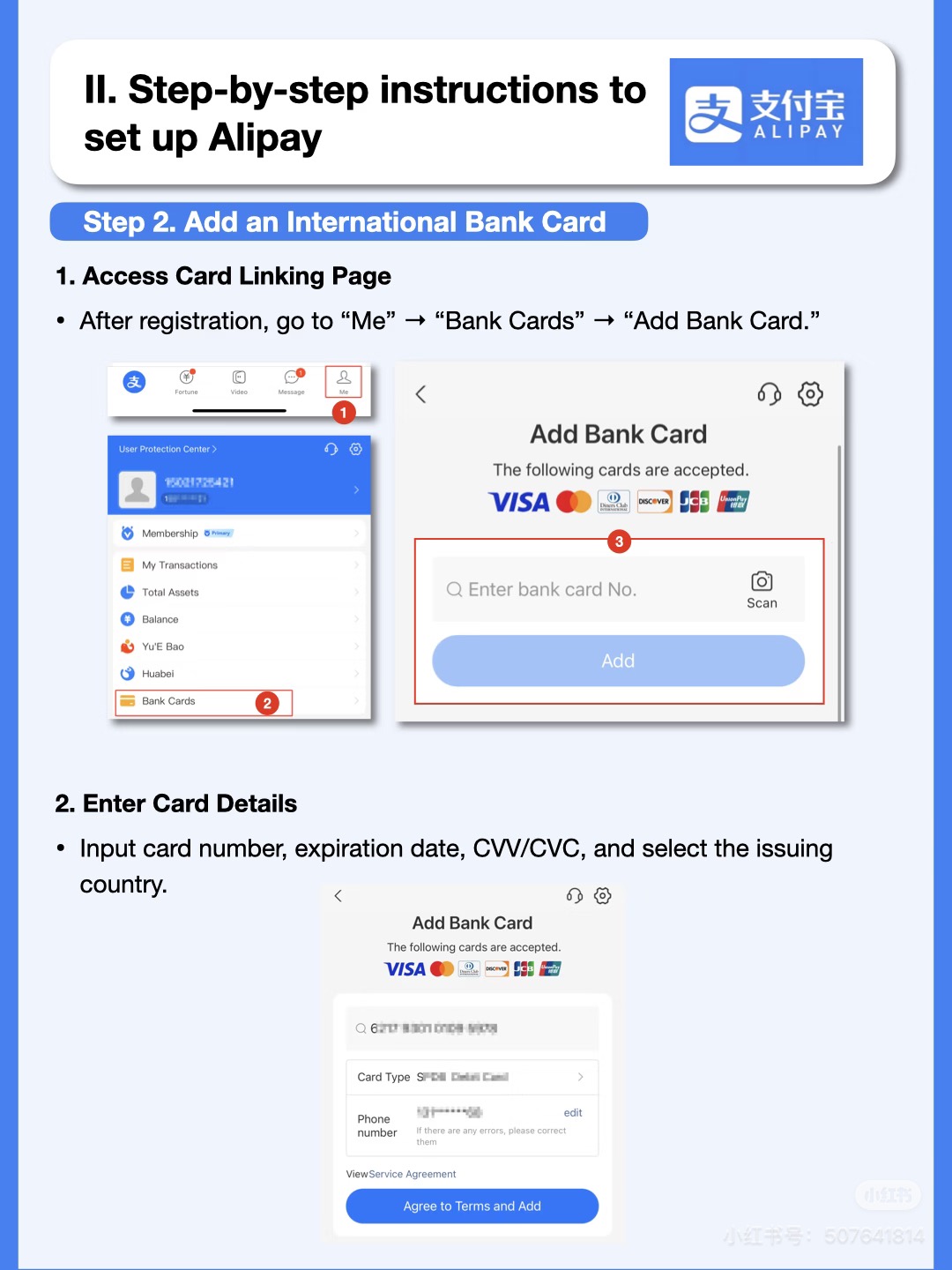 Me → Bank Cards → Add Bank Card
- Verify identity: Me → Settings → Account and Security → Real-Name Verification
- Select Passport → enter your passport number → photo the photo page → facial scan
- Verification is usually instant — try in good lighting if it fails
- Add card: Me → Bank Cards → + → enter Visa/Mastercard/Amex details
- A small $0–$1 verification charge may appear — it reverses automatically within 48 hours
- If your card is declined, check that international online transactions are enabled with your bank
💡 Complete identity verification before adding your card — some cards won't activate without it.
3
Set PIN & Pay
Set your payment PIN and start using Alipay at 80+ million merchants across China.
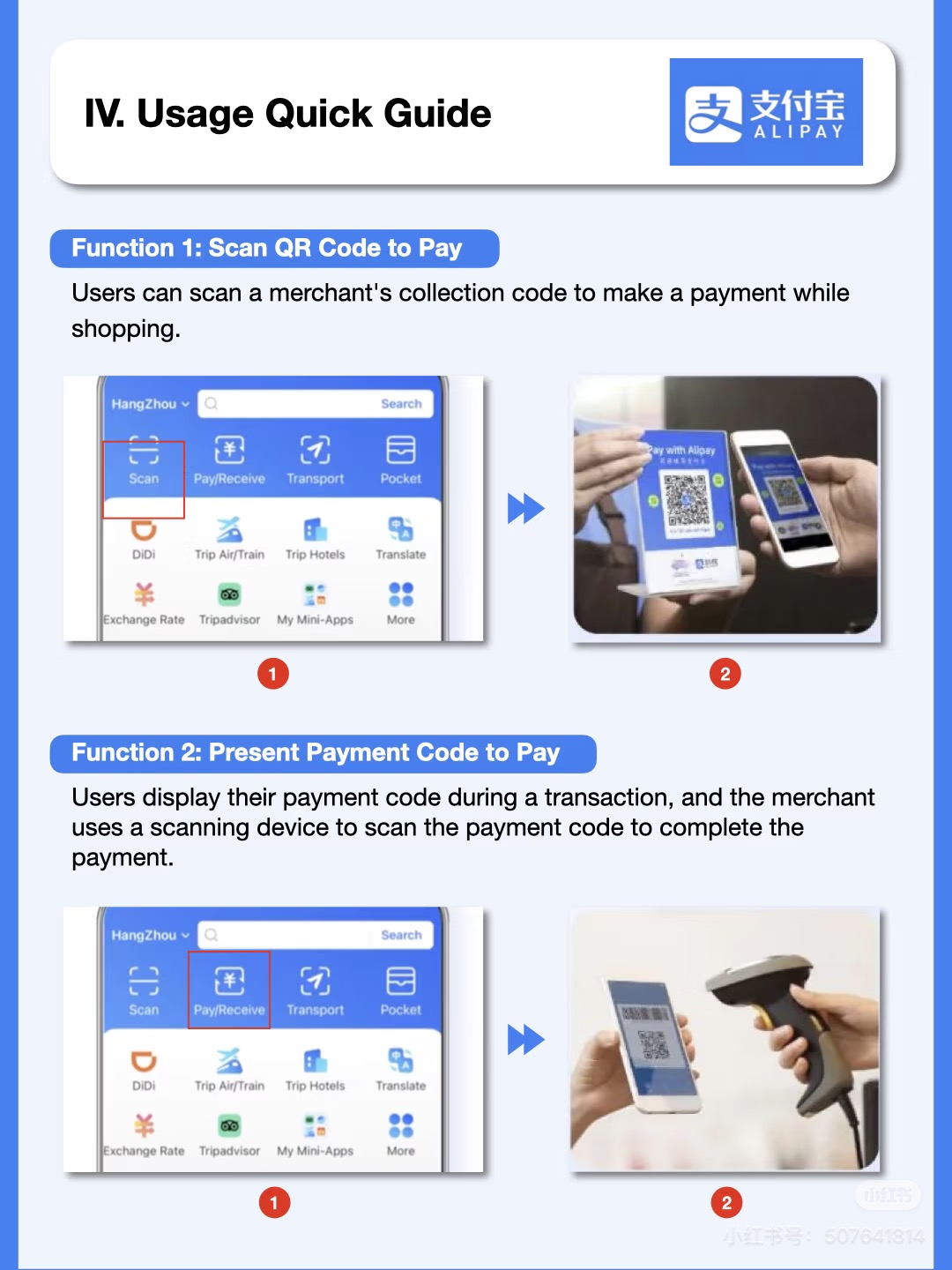 Tap Scan to scan the merchant's QR code, or tap Pay/Receive to show your barcode
- Set a 6-digit payment PIN when prompted after adding your card
- Enable Touch ID or Face ID in Me → Settings → Biometrics & Security for faster checkout
- Scan: tap the scan icon → point at merchant's QR code
- Show code: tap Pay/Receive → show your barcode for merchant to scan
- Tour Pass fallback: if card linking fails, use Alipay Tour Pass to load a fixed CNY balance
- View all transactions: Me → Bill
💡 Alipay works offline for showing your QR code — you don't need signal when the merchant scans you.
Pro tips
- Alipay also works as a mini-app platform — you can book trains, hail taxis, and order food all from within Alipay.
- Alipay displays all prices in CNY. Your bank converts at its daily rate — usually competitive, but check for foreign transaction fees.
- Tap Me → Bill to see a full receipt history of every Alipay transaction during your trip.
- Alipay works offline for showing your QR code — you don't need a signal when the merchant scans you. But you need signal to scan the merchant's code.
Sources & further reading:
China Neighbor — Alipay 2026 Guide · LTL School — Alipay for Foreigners · China Survival Kit — Alipay Setup
China Neighbor — Alipay 2026 Guide · LTL School — Alipay for Foreigners · China Survival Kit — Alipay Setup