WeChat Pay Setup for Foreigners
WeChat Pay now works for foreigners with no Chinese bank account required. You link your foreign Visa, Mastercard, or Amex directly and pay everywhere — street food stalls, metro tickets, shopping malls, and restaurants. This guide walks you through every step.
✦ Member access — full guide unlocked
What you'll need
- A smartphone (iOS or Android)
- A foreign phone number that can receive SMS
- A Visa, Mastercard, Amex, JCB, Discover, or Diners Club card
- Your passport (for identity verification)
Free preview — Stage 1
1
Download & Register
Download WeChat and create your account — best done before arriving in China.
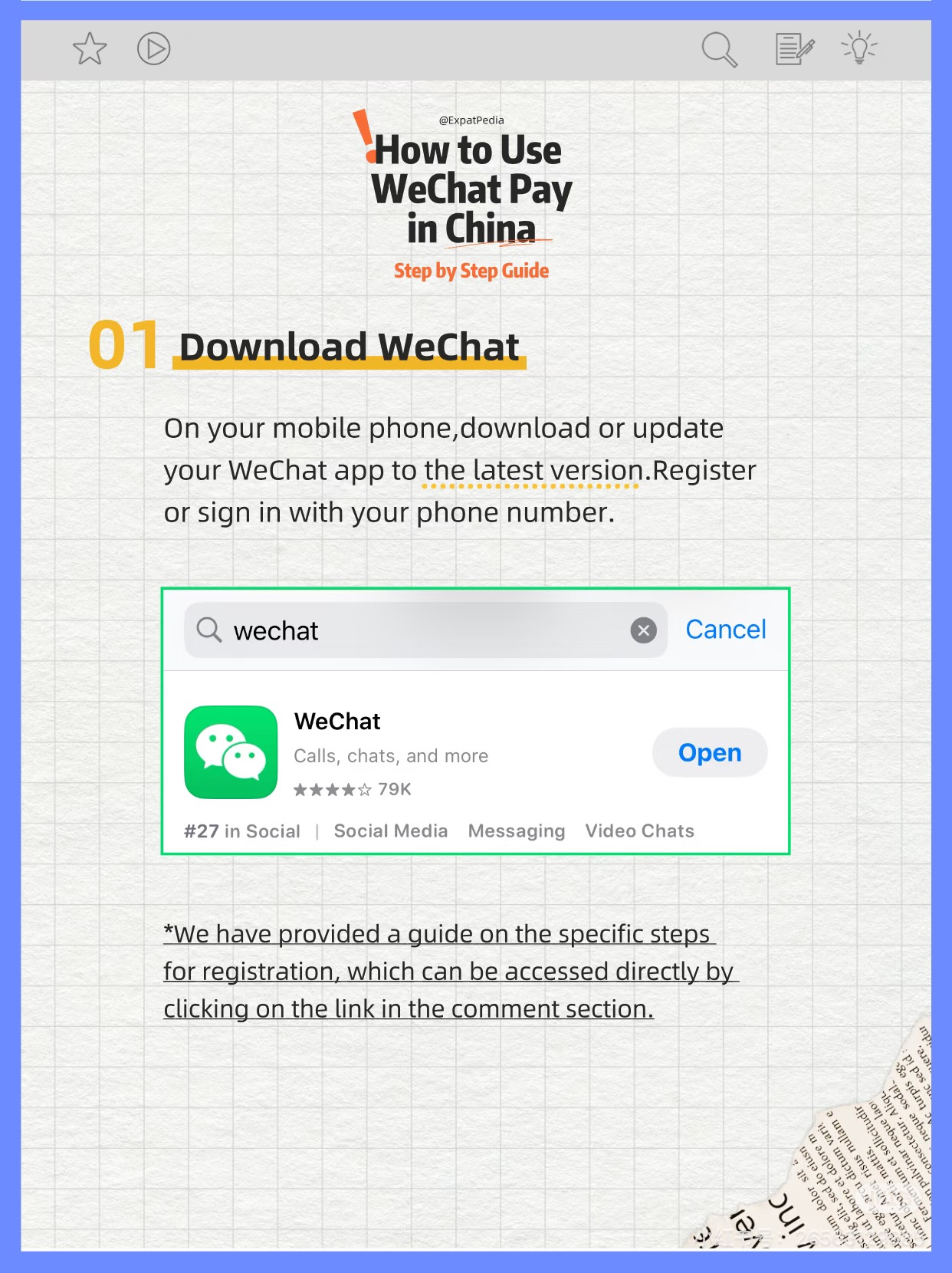 Search "WeChat" in the App Store or Google Play — publisher: Tencent, free download
- Download from App Store (iOS) or Google Play (Android) — publisher is Tencent
- Tap Sign Up → select your country code → enter your phone number
- Enter the 6-digit SMS verification code to confirm your number
- Use your real name — it must match your passport for identity verification later
💡 Download before arriving in China — Google Play can be slow inside the country without a VPN.
Member stages — 2 & 3
2
Link Your Card
Add your international card to WeChat Pay and set up your payment PIN.
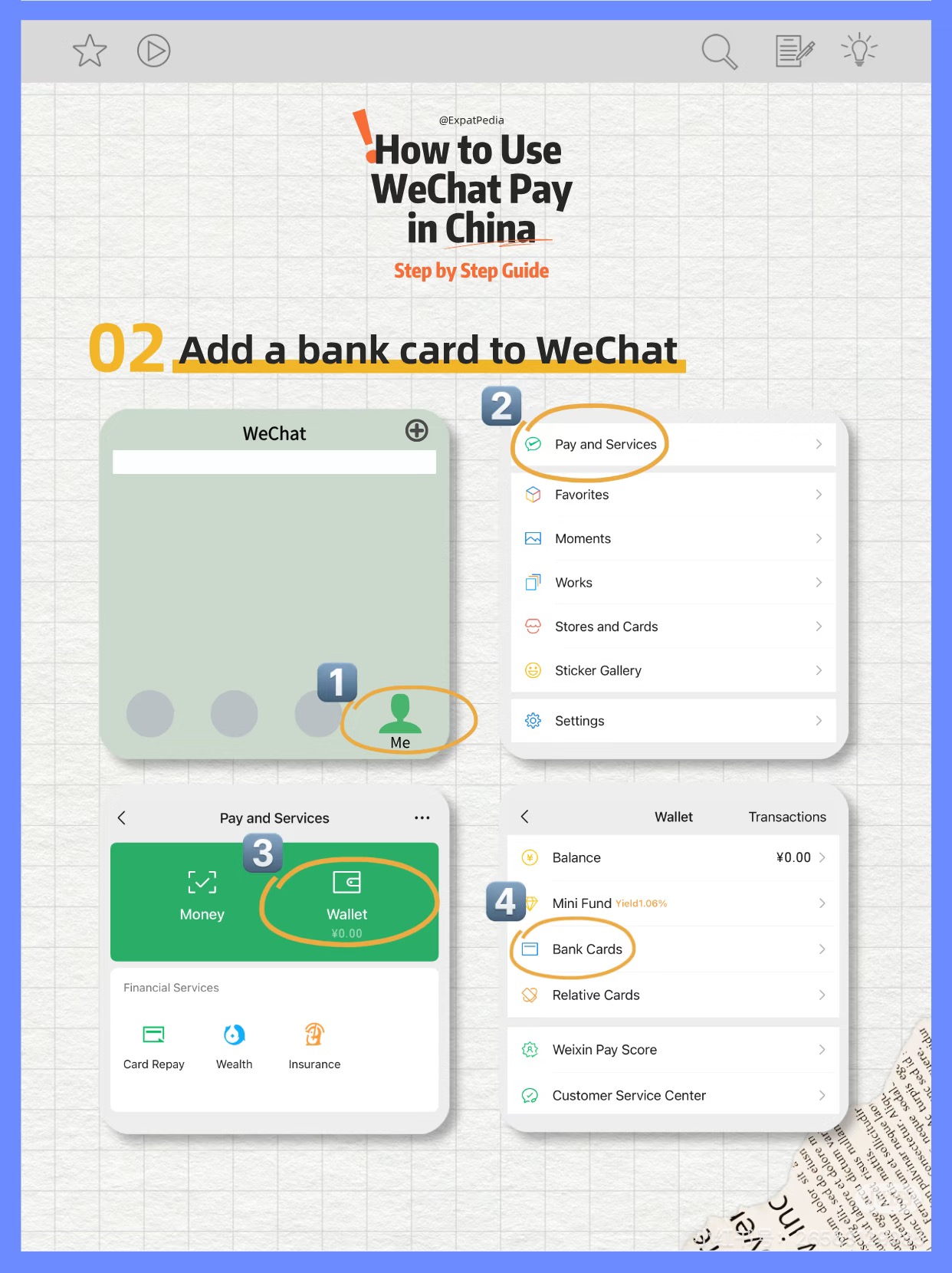 Me → Pay and Services → Wallet → Bank Cards → tap + to add your card
- Open Me → Pay → tap + or Add Bank Card
- WeChat accepts Visa, Mastercard, Amex, JCB, Discover, and Diners Club
- Enter card number, expiry date, CVV, and billing name exactly as on the card
- Set a 6-digit payment PIN — required for every transaction
- Enable Face ID or Touch ID after PIN setup for faster checkout
- Complete identity check if prompted: selfie + passport photo page — usually approved instantly
💡 Some prepaid or virtual cards may be declined. Use a standard credit or debit card for best results.
3
Make Your First Payment
Two methods — scan the merchant's code, or show your barcode. Both work everywhere in China.
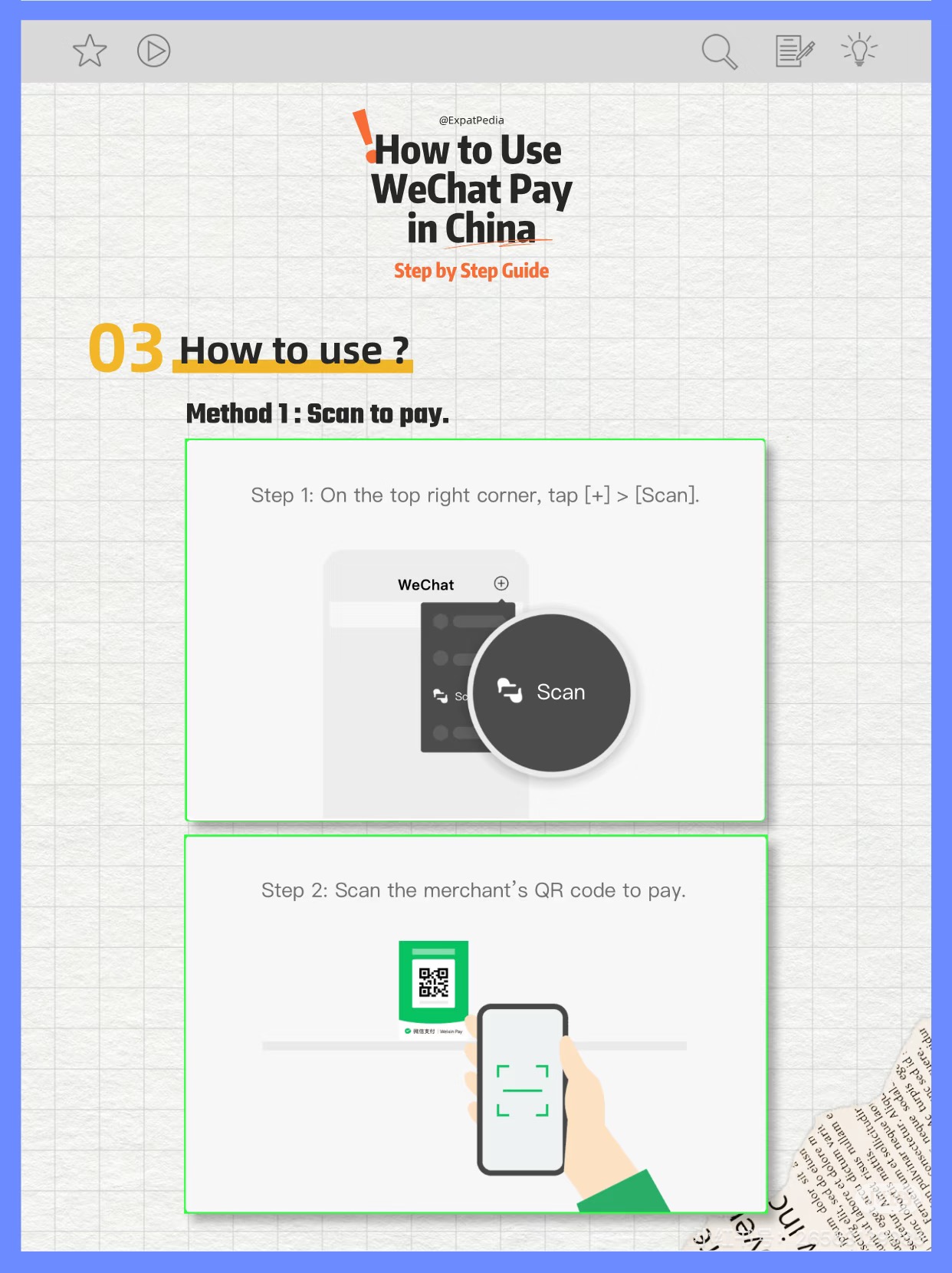 Method 1 — Scan the merchant's QR code
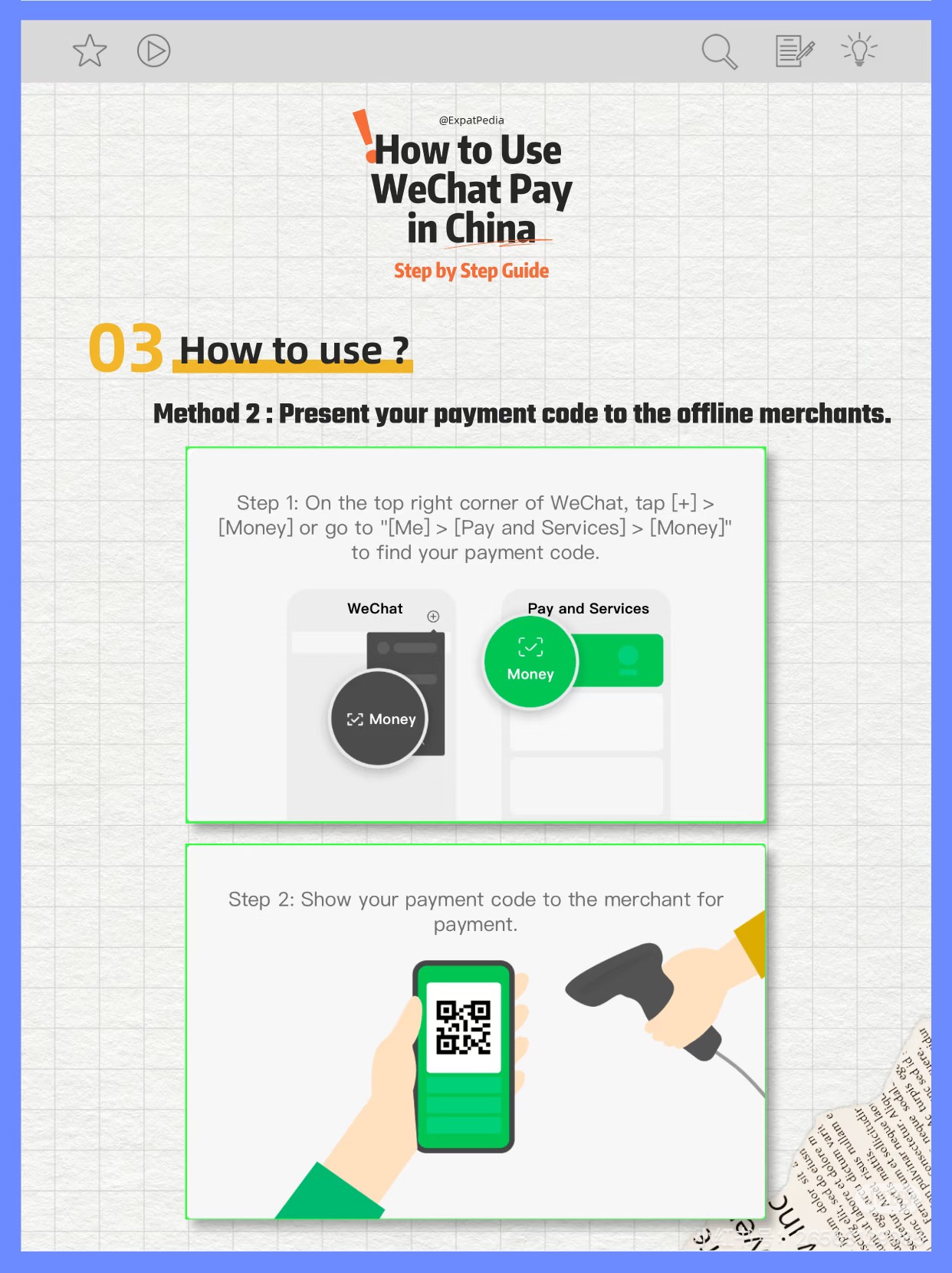 Method 2 — Show your barcode to the merchant
- Scan: tap Pay → Scan → point camera at merchant's QR code
- Show code: tap Pay → your barcode appears — let merchant scan it
- Confirm payment with your PIN or Face ID / Touch ID
- Test with a small purchase first (e.g. a bottle of water) to make sure everything works
💡 WeChat Pay is accepted almost everywhere in China — street vendors, metros, malls, restaurants, and hospitals.
Pro tips
- WeChat Pay shows prices in CNY (Chinese Yuan). The exchange rate is set by your card issuer, typically within 1–2% of the mid-market rate.
- WeChat Pay is accepted almost everywhere in China — including tiny street vendors, subway machines, and convenience stores.
- You'll receive a WeChat notification and receipt for every payment. Check Me → Pay → Transaction History to see all charges.
- If a payment fails, check that your card's international transactions are enabled. Call your bank before traveling to China.
Sources & further reading:
China Navigators — WeChat Pay for Foreigners 2026 · LTL School — WeChat Pay Guide · Official WeChat Help Center
China Navigators — WeChat Pay for Foreigners 2026 · LTL School — WeChat Pay Guide · Official WeChat Help Center